Introduction - basic information about accommodation
{P blog-zverejnene P}:21. 7. 2022
{P blog-min-citania P}
Introduction – basic information about accommodation
Modification of the accommodation object
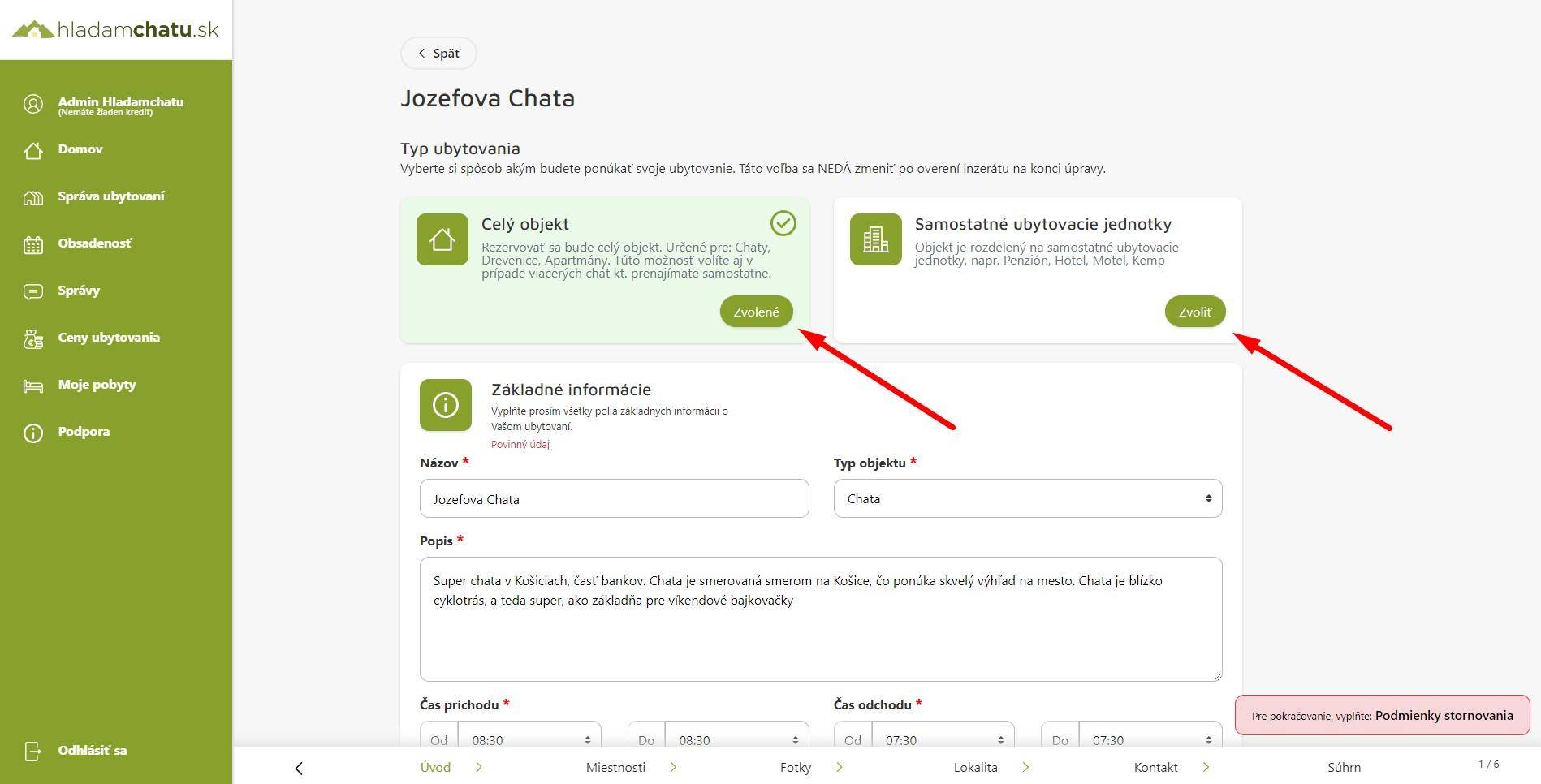
Choosing the type of rental of the object
The first step is to choose the type of property rental. This is necessary because other elements in the subsequent steps of adding the object are bound to this choice.
In addition, this choice is immutable, that is, it cannot be changed later. Therefore, please choose carefully how you rent your accommodation.
Each property, cottage, or room has a separate reservation calendar with us, which means that you can manage reservations clearly and know who will come to which property when.
You currently have two types of rental to choose from:
The whole object
You rent your accommodation as a whole, you do not rent your accommodation separately, as rooms. Example: you have a cottage by the lake for max. 6 people. Or own a group of cottages that you rent out separately.
Separate accommodation units
You rent your accommodation, as rooms, apartments. Example: you have a cottage that is divided into two separate apartments. Or you have a boarding house, or you have a hotel, or a motel.
Basic information
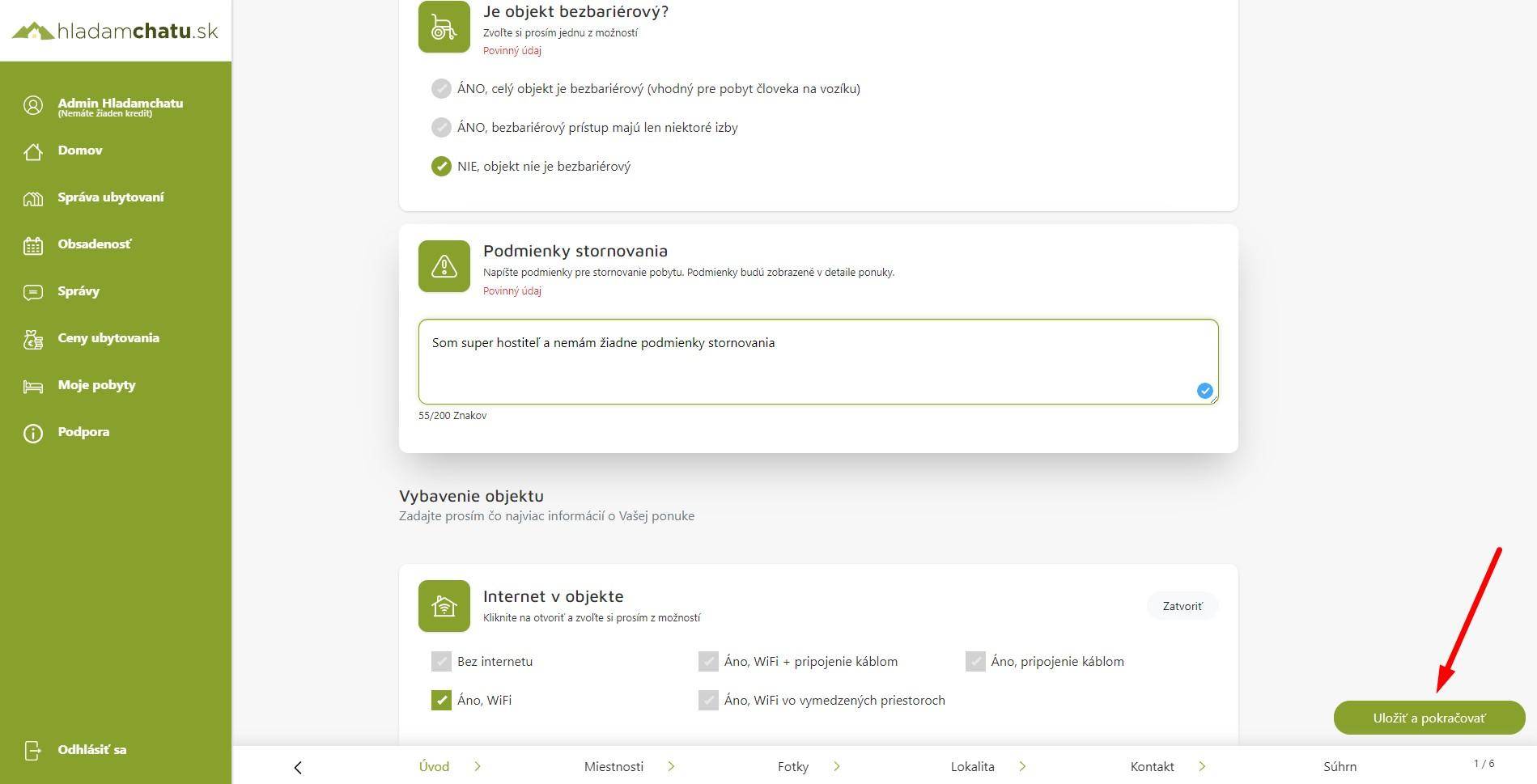
It is necessary to fill in all mandatory fields about your accommodation object. These are, for example, Name, description, arrival and departure of guests, maximum accommodation capacity and more.
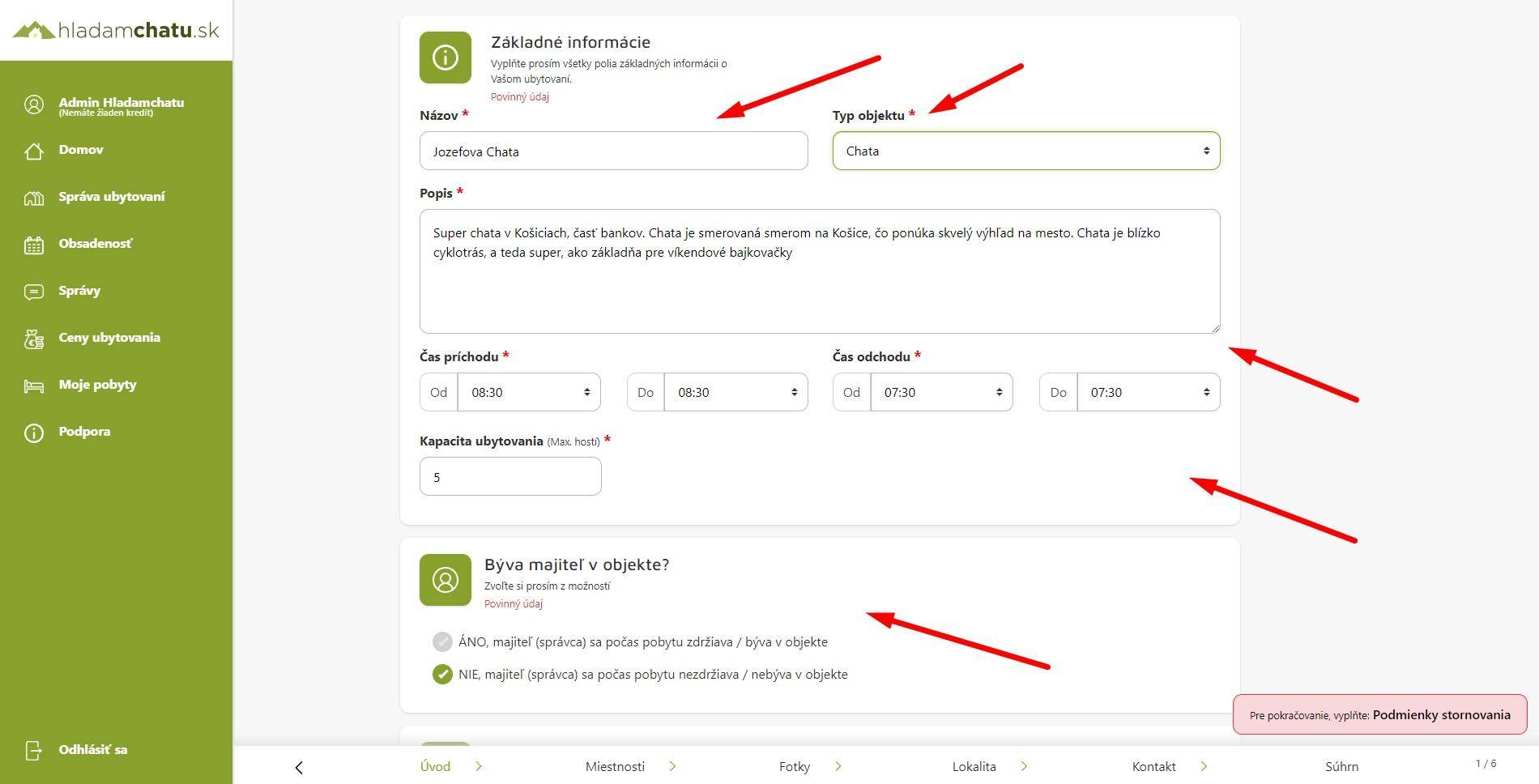
Mandatory items
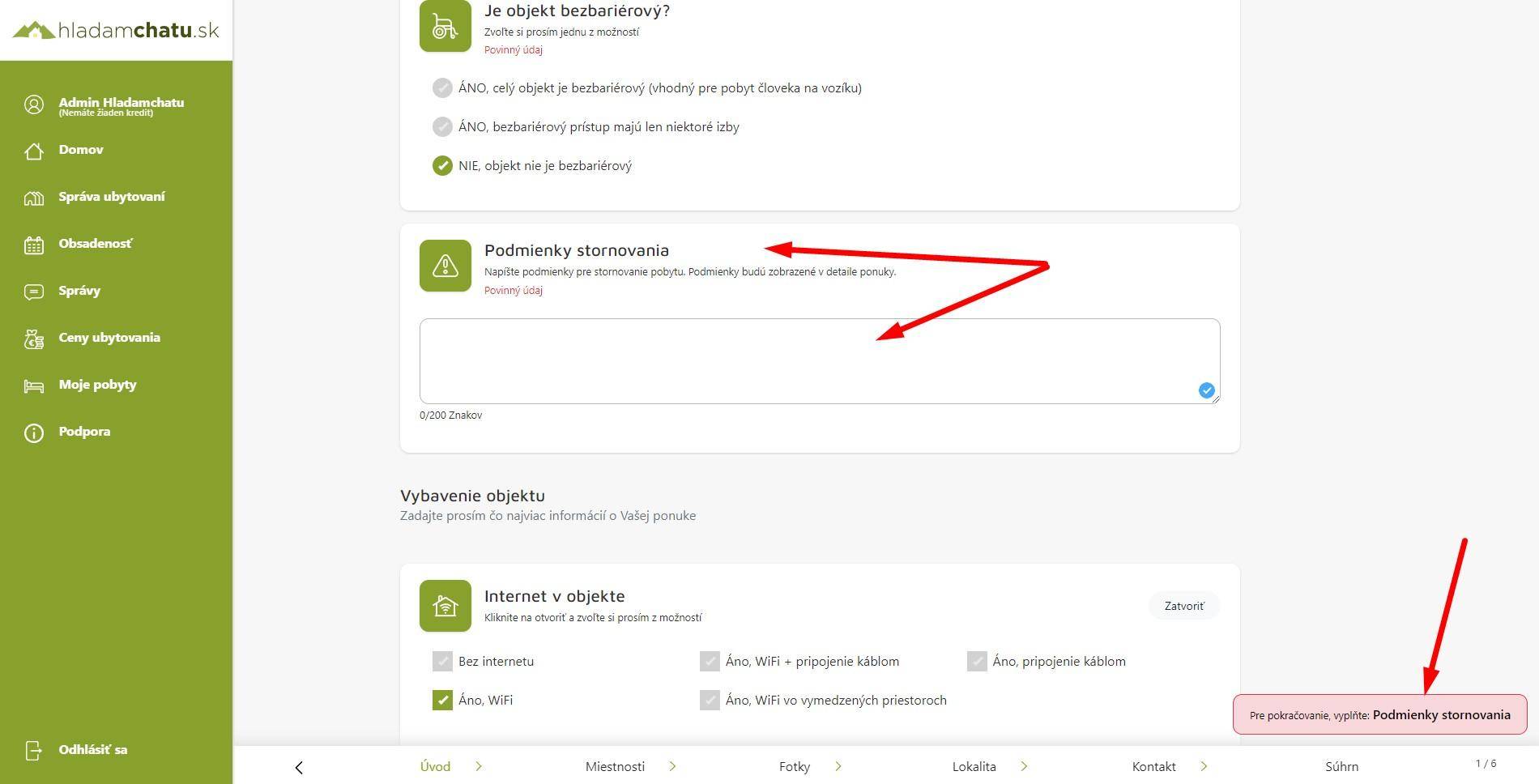
All fields with a red asterisk next to their name are mandatory. Without filling in the mandatory items, the system will not allow you to continue, that is to save the accommodation.
You can see the next step, or what you have missed so far and needs to be filled in, in the red box at the bottom right. After clicking on the frame, it will take you to the given item.
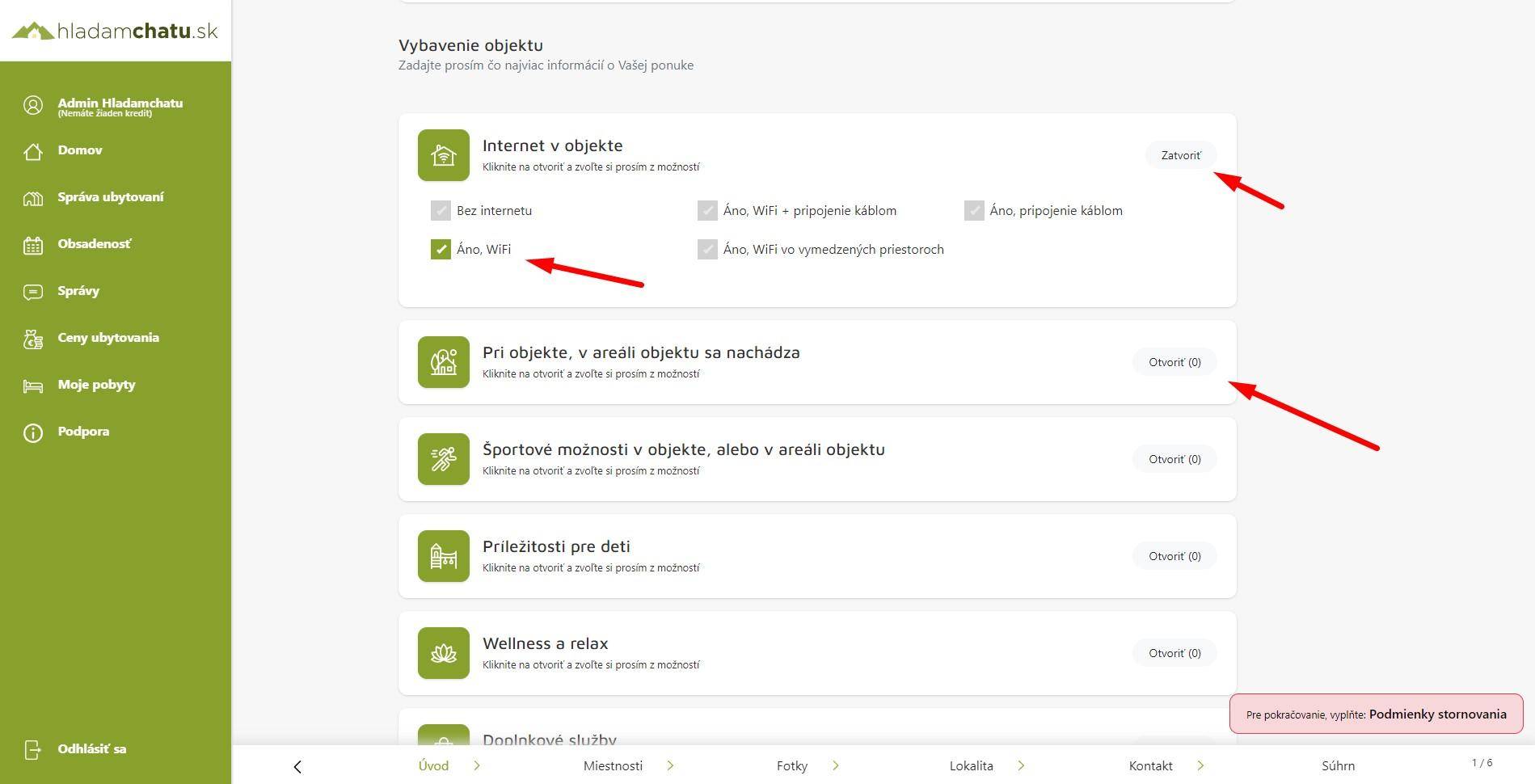
Equipment of the object
It is important for your guests to know as much as possible about your accommodation, so it is good to fill in as much information as possible about your property.
At the same time, we don't want to force you, and therefore equipping the object is not mandatory, but we recommend clicking on it.
Step 1.: Click on the open button for individual sections of the object's equipment.
Step 2: choose individual items, it is possible to click on several options.
Save and continue
If you have filled in all mandatory fields, ideally and optional, the button "Save and continue" will appear in the lower right corner.
After clicking on it, your data will be saved and it will switch you to the room card.
#0 /var/www/new.hladamchatu.sk/front/lib/Classes/ViewHelper.php(225): TyrionWeb\Lib\Classes\ViewHelper::printContent()
#1 /var/www/new.hladamchatu.sk/front/lib/Classes/WebManager.php(55): TyrionWeb\Lib\Classes\ViewHelper::loadPartial()
#2 /var/www/new.hladamchatu.sk/front/src/components/Custom/View/Layout/Pages/page_podstranka_blog_item.php(156): TyrionWeb\Lib\Classes\WebManager->showHolder()
#3 /var/www/new.hladamchatu.sk/front/lib/Classes/ViewHelper.php(63): include('...')
#4 /var/www/new.hladamchatu.sk/front/lib/Classes/ViewHelper.php(225): TyrionWeb\Lib\Classes\ViewHelper::printContent()
#5 /var/www/new.hladamchatu.sk/front/lib/Classes/WebManager.php(26): TyrionWeb\Lib\Classes\ViewHelper::loadPartial()
#6 /var/www/new.hladamchatu.sk/front/src/routes/index.php(8): TyrionWeb\Lib\Classes\WebManager->showPage()
#7 /var/www/new.hladamchatu.sk/front/lib/Classes/Router.php(57): include_once('...')
#8 /var/www/new.hladamchatu.sk/front/lib/Application.php(60): TyrionWeb\Lib\Classes\Router::init()
#9 /var/www/new.hladamchatu.sk/front/public/index.php(17): TyrionWeb\Lib\Application::run()
#10 {main}
Error: File not exist: /var/www/new.hladamchatu.sk/front/lib/Classes/../../src/components/Custom/View/Layout/Widget/Menu/faq_without_search.php