Rooms and Reservation units
{P blog-zverejnene P}:21. 7. 2022
{P blog-min-citania P}
Rooms
If you chose in the previous step that you are renting the object as a whole, you will see a choice of rooms.
Step 1: click on the "Add new" button
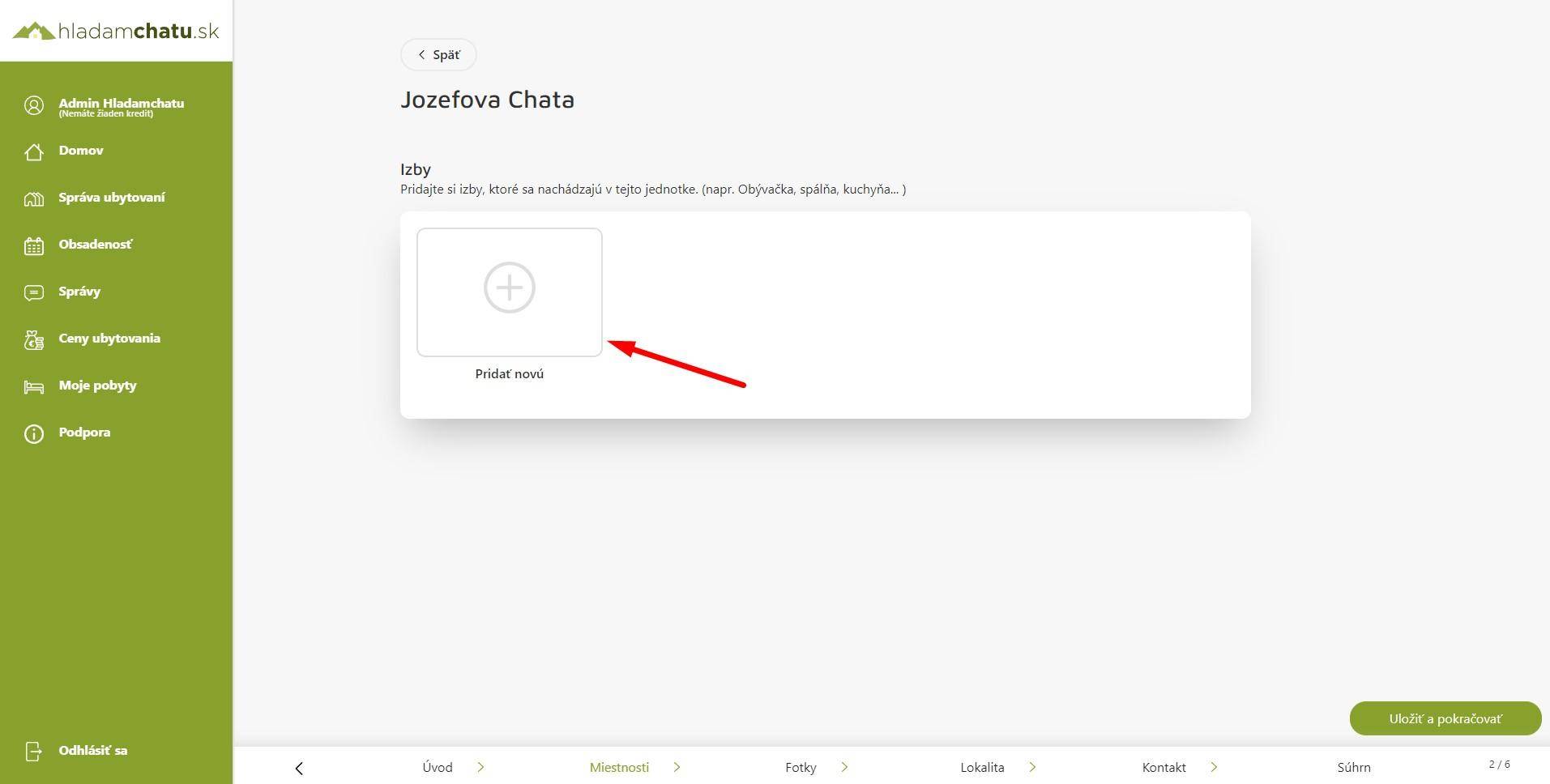
After clicking on add a new one, you will be shown a selection from the type of room. We have four basic room types, where it is possible to combine equipment from other room types.
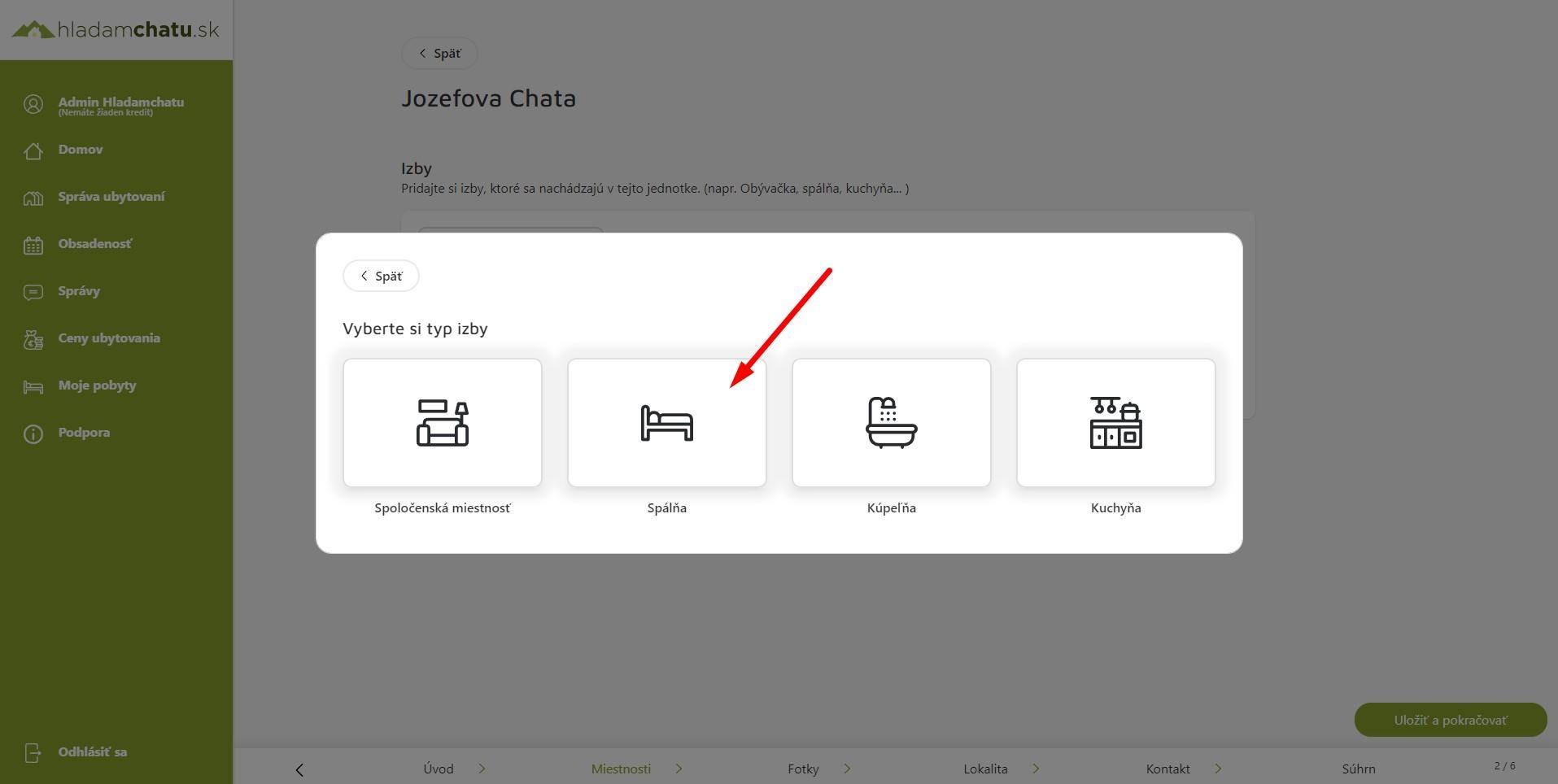
Fill in the room information
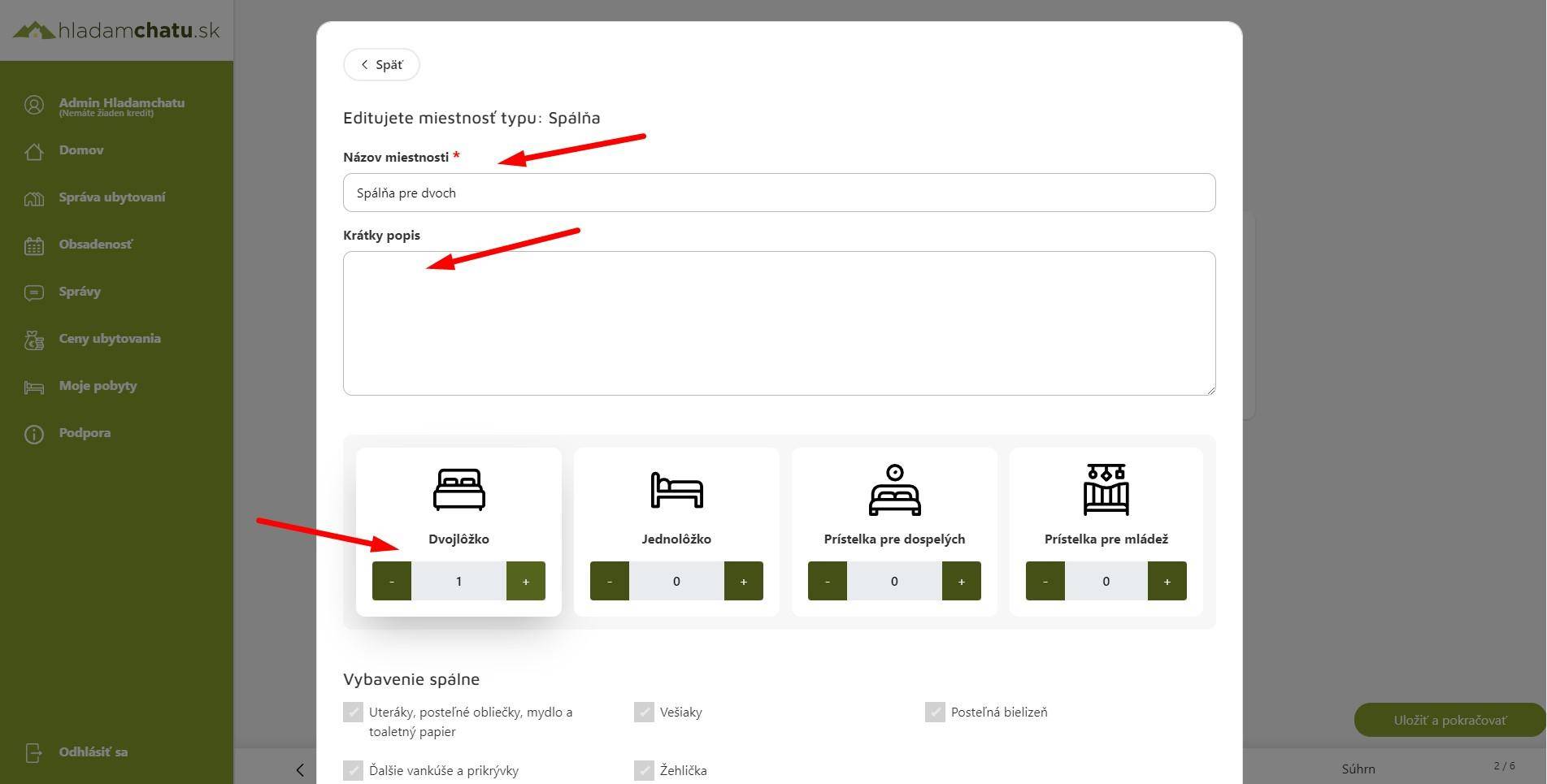
After clicking on the room type, you will see information about the room that needs to be filled out. It is ideal to fill in as much information as possible about the room.
Step 2.: Fill in the name of the room (mandatory) and ideally also a description, type of beds if the room has beds. and room equipment by type, upload photos of the room.
If you have already filled in everything as you wish, click the Save button.
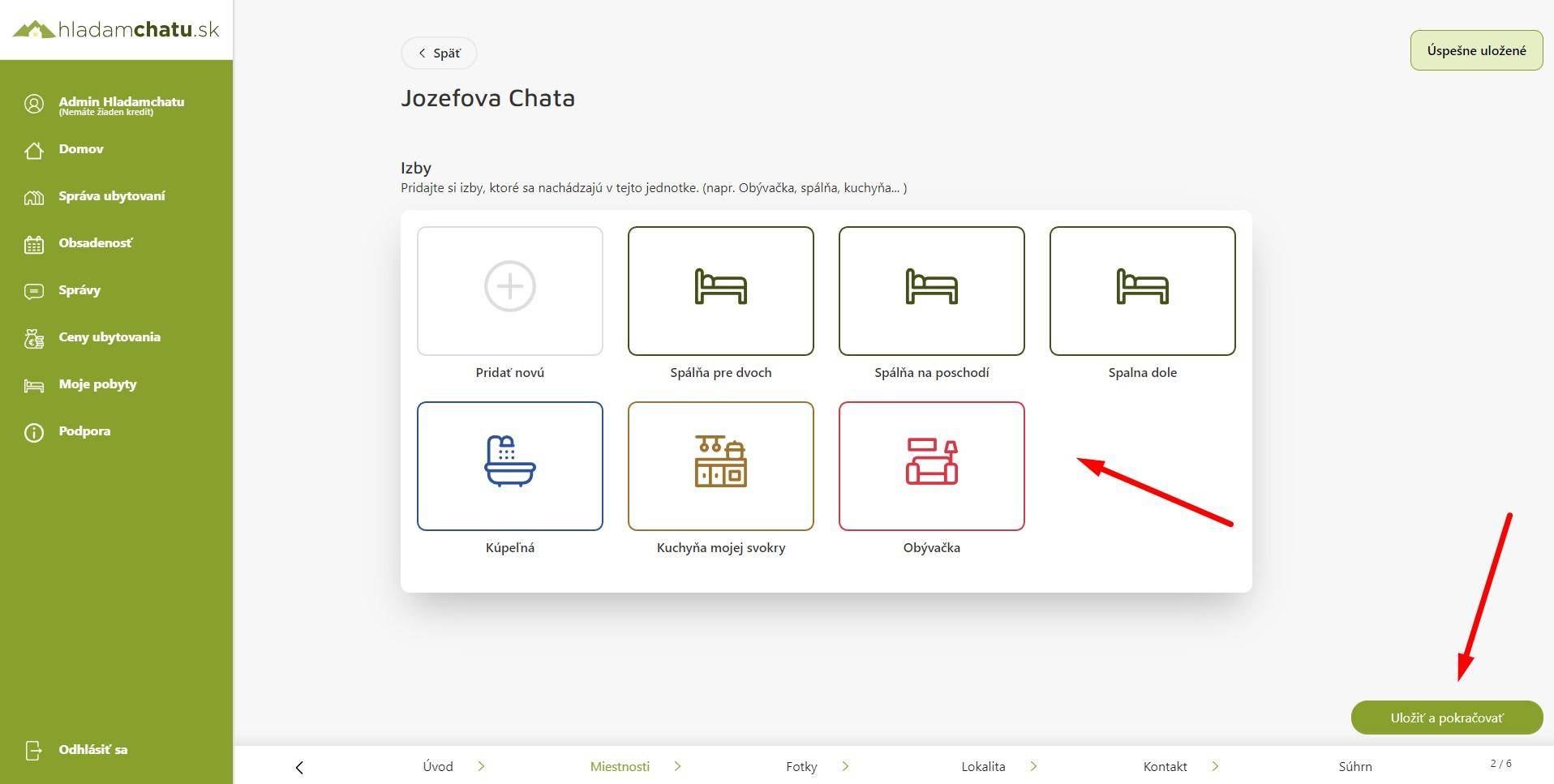
Save and continue
If you have already added all the rooms and filled in the data, photos and equipment, click the "Save and continue" button
Reserve units
If you chose in the previous step that you are renting an object as Independent accommodation units, you will see the option to create reservation units.
Under the term Reservation unit it is meant that you offer e.g. apartment and this consists of rooms.
Please note the three buttons to begin with. They are:
Add unit: in the upper right, after clicking, you add a new reservation unit, e.g. Apartment B
Add new: after clicking, you will add a room to the booking unit as described above.
Edit accommodation unit: after clicking the button, you can edit the name of the unit, add its description and photos.
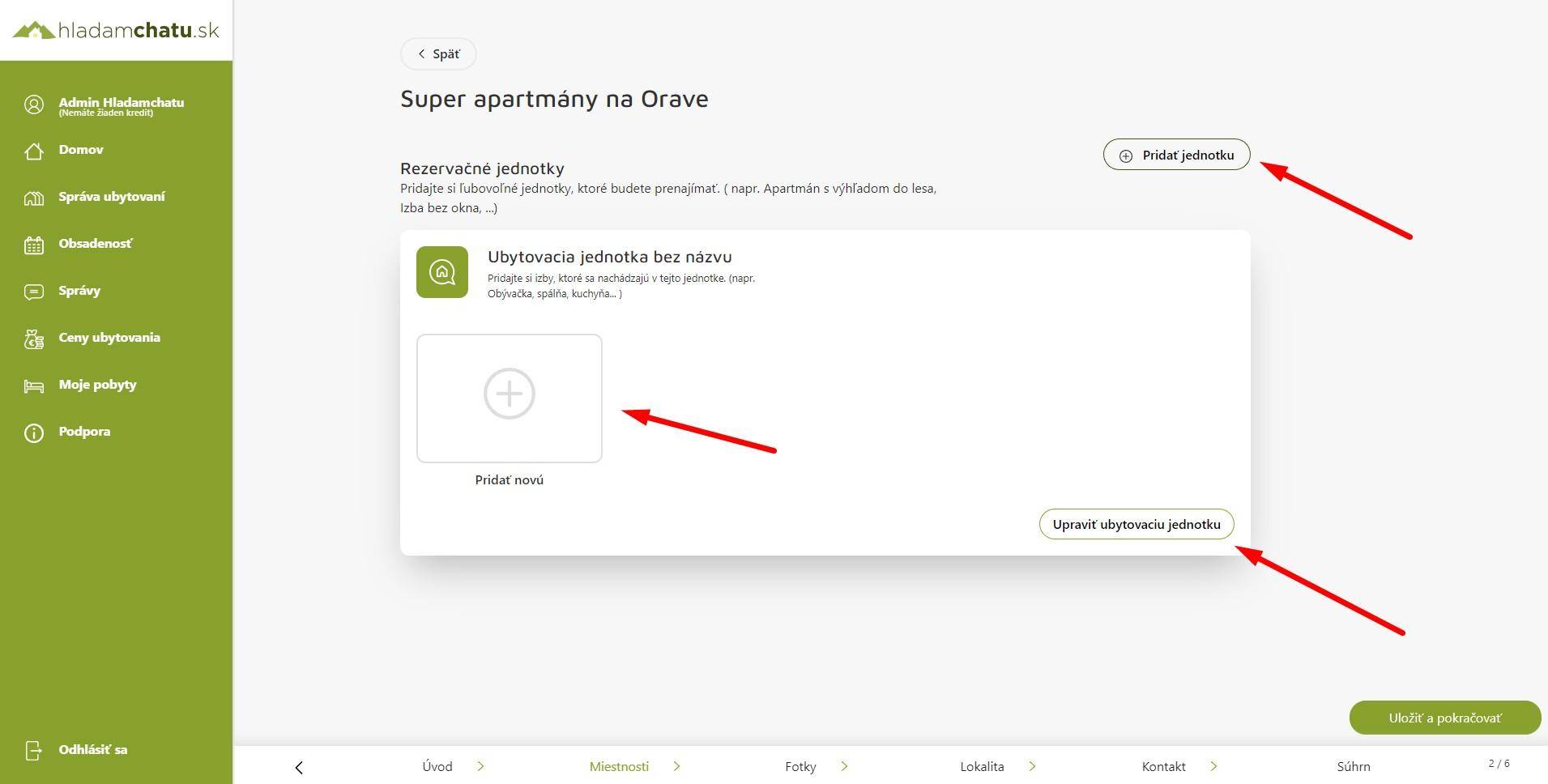
Modification of the reservation unit
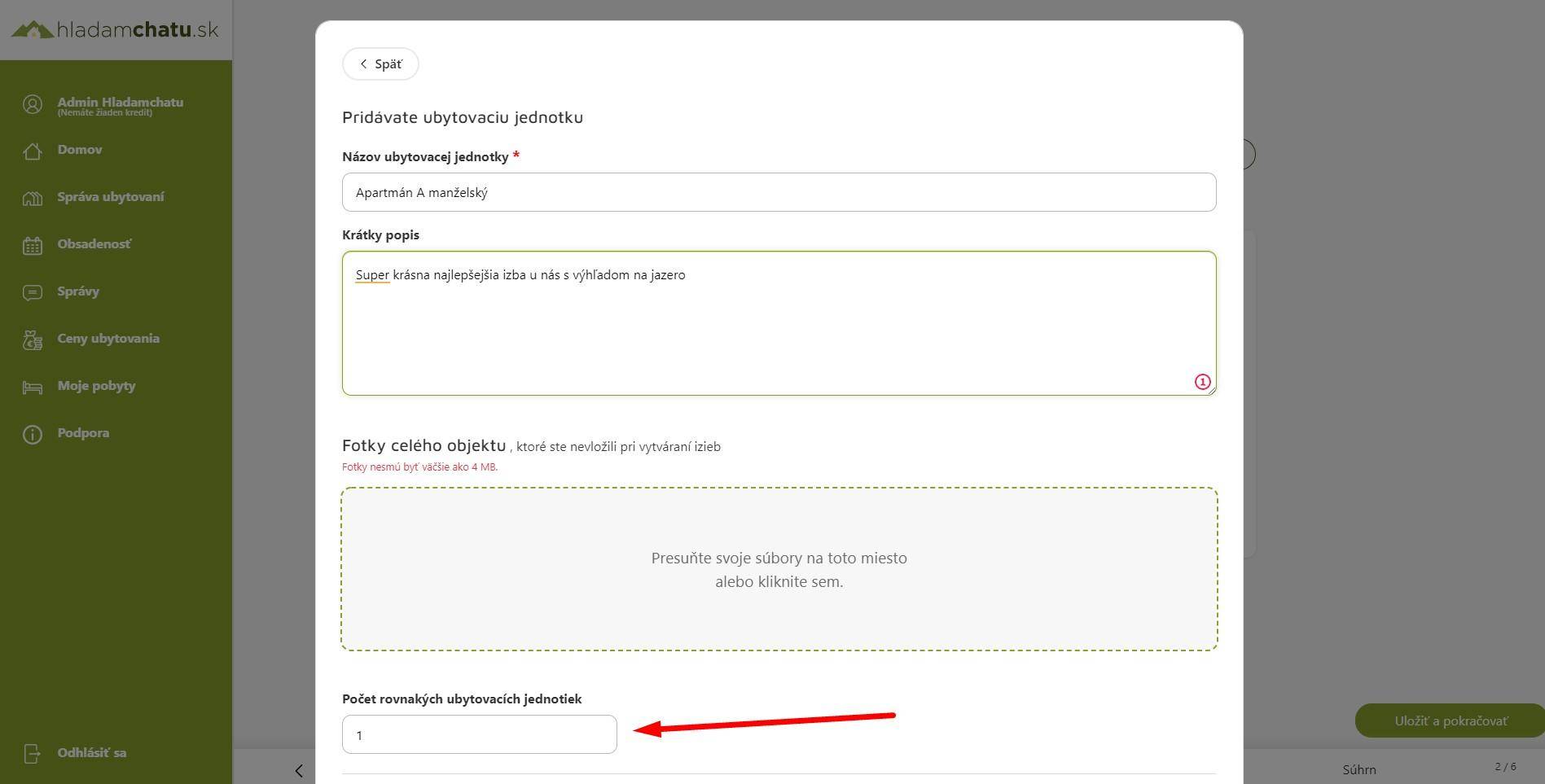
After clicking on Edit reservation unit, you will be able to enter the name, description and upload photos.
It is also possible to enter the number of reservation units. This means that if you have one type of apartment or room more than once, it is not necessary to enter it in the administration more than once.
You simply enter there that you have five identical apartments.
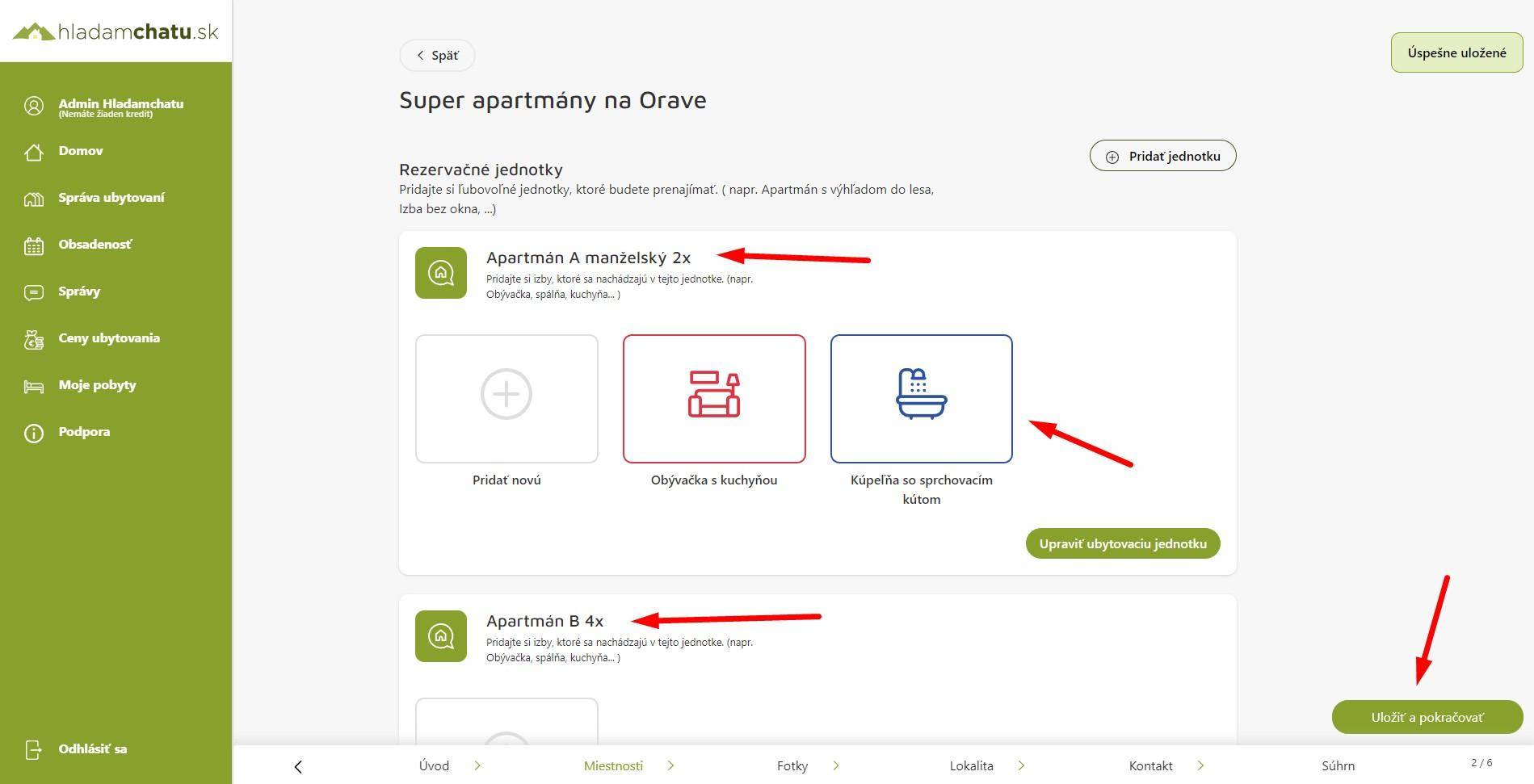
Save and continue
After adding and filling in the data, just click on save and continue, which you can find at the bottom right.
#0 /var/www/new.hladamchatu.sk/front/lib/Classes/ViewHelper.php(225): TyrionWeb\Lib\Classes\ViewHelper::printContent()
#1 /var/www/new.hladamchatu.sk/front/lib/Classes/WebManager.php(55): TyrionWeb\Lib\Classes\ViewHelper::loadPartial()
#2 /var/www/new.hladamchatu.sk/front/src/components/Custom/View/Layout/Pages/page_podstranka_blog_item.php(156): TyrionWeb\Lib\Classes\WebManager->showHolder()
#3 /var/www/new.hladamchatu.sk/front/lib/Classes/ViewHelper.php(63): include('...')
#4 /var/www/new.hladamchatu.sk/front/lib/Classes/ViewHelper.php(225): TyrionWeb\Lib\Classes\ViewHelper::printContent()
#5 /var/www/new.hladamchatu.sk/front/lib/Classes/WebManager.php(26): TyrionWeb\Lib\Classes\ViewHelper::loadPartial()
#6 /var/www/new.hladamchatu.sk/front/src/routes/index.php(8): TyrionWeb\Lib\Classes\WebManager->showPage()
#7 /var/www/new.hladamchatu.sk/front/lib/Classes/Router.php(57): include_once('...')
#8 /var/www/new.hladamchatu.sk/front/lib/Application.php(60): TyrionWeb\Lib\Classes\Router::init()
#9 /var/www/new.hladamchatu.sk/front/public/index.php(17): TyrionWeb\Lib\Application::run()
#10 {main}
Error: File not exist: /var/www/new.hladamchatu.sk/front/lib/Classes/../../src/components/Custom/View/Layout/Widget/Menu/faq_without_search.php