How to register on hladamchatu.sk
Published:20. 12. 2025
min read
Registering with us on hladamchatu.sk is possible only after verifying the phone number. Verification takes place via SMS message and is free of charge. For verification, it is necessary to use your private or company number, through which you will also log in in the future.
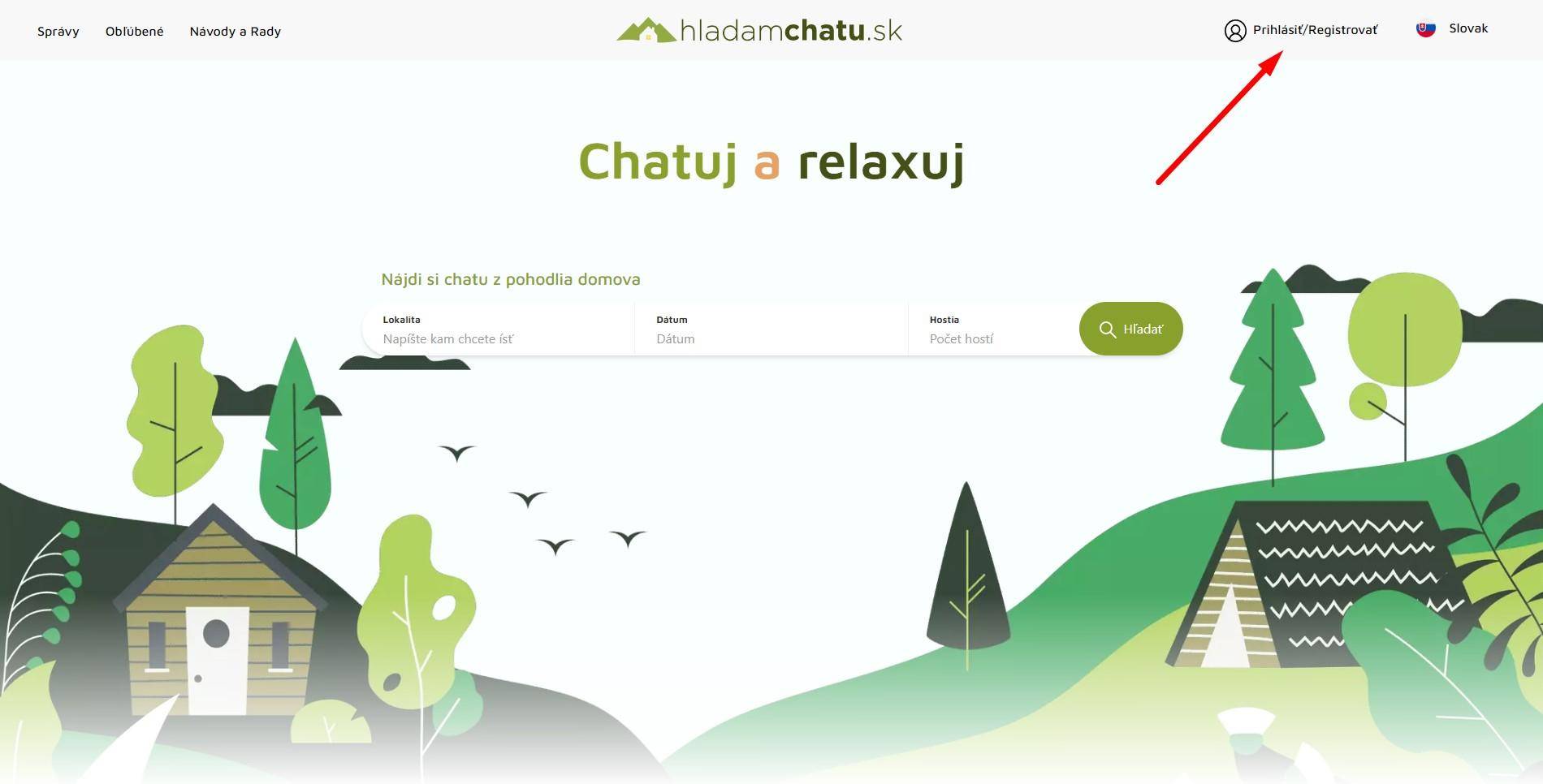
Step 1.: click on the item in the upper right menu Login/Register
Step 2: choose an international prefix, e.g. +421 and then write your phone number.
Step 3: Then click on the Verify number button
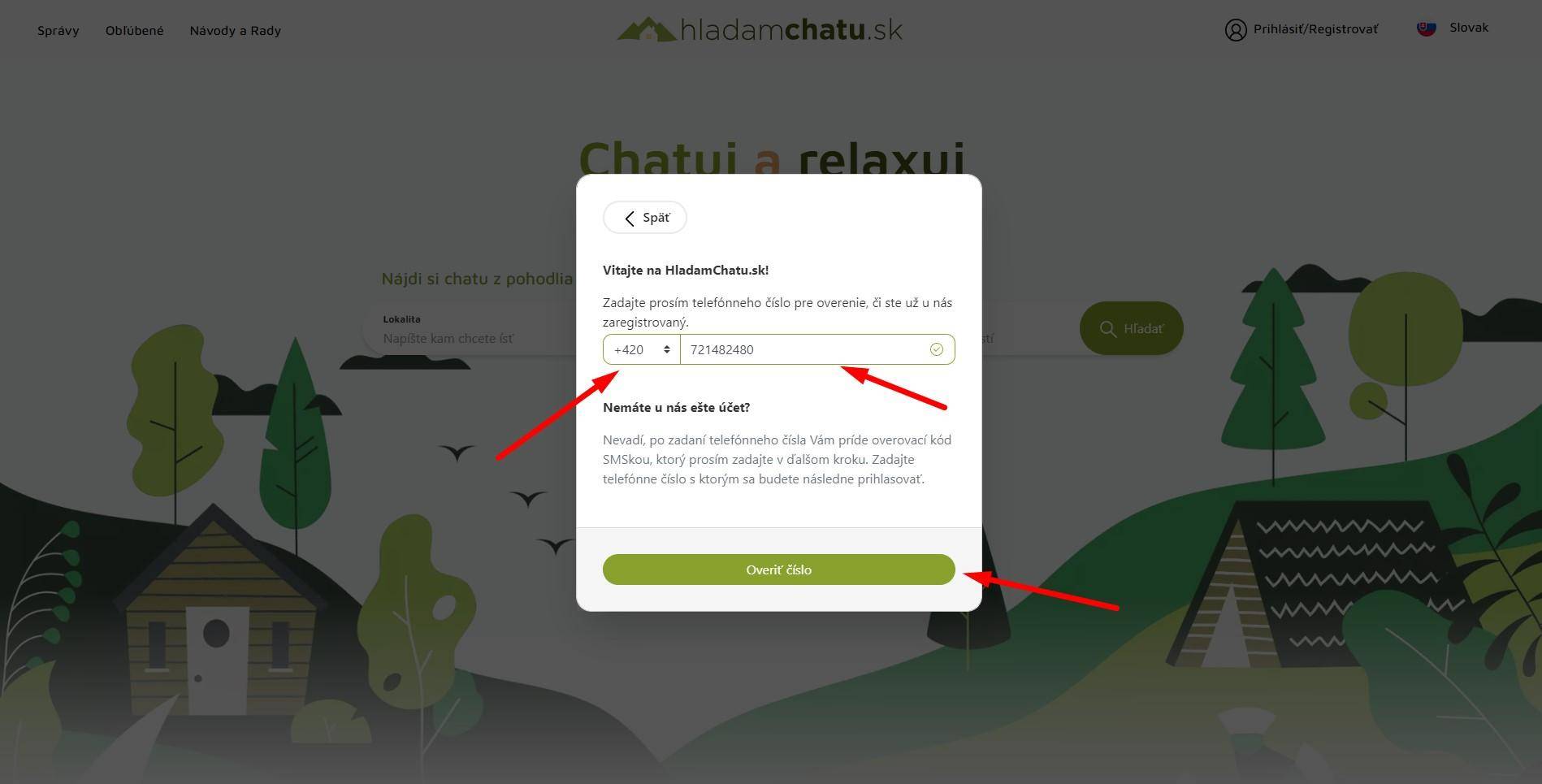
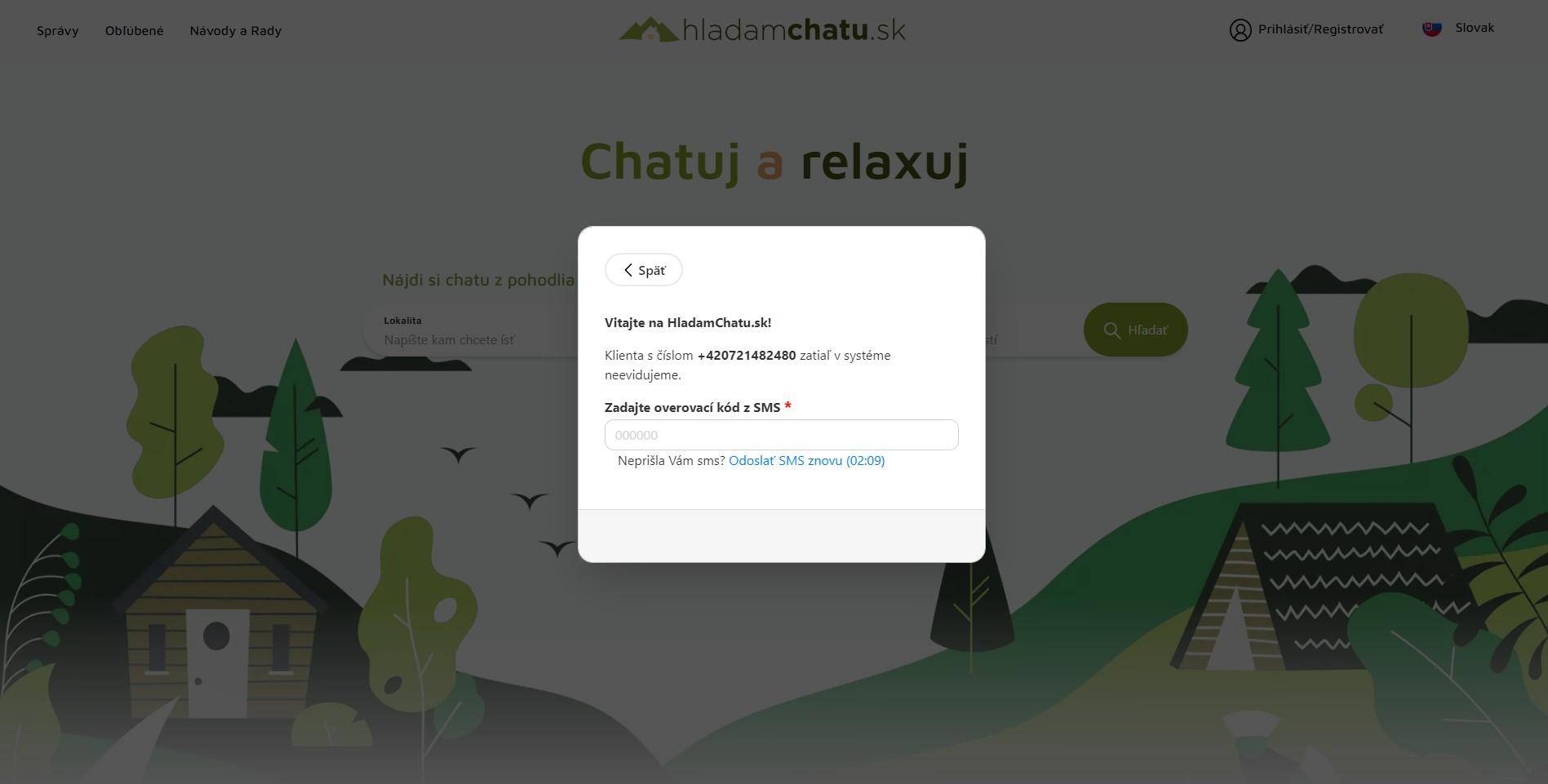
Step 4: after clicking on Verify number, you will receive a free SMS from us with a six-digit verification code, which must be entered in the field Enter SMS verification code
Step 5: after entering the verification code from the SMS message, the button Register via Email will appear under the field, which you need to click.
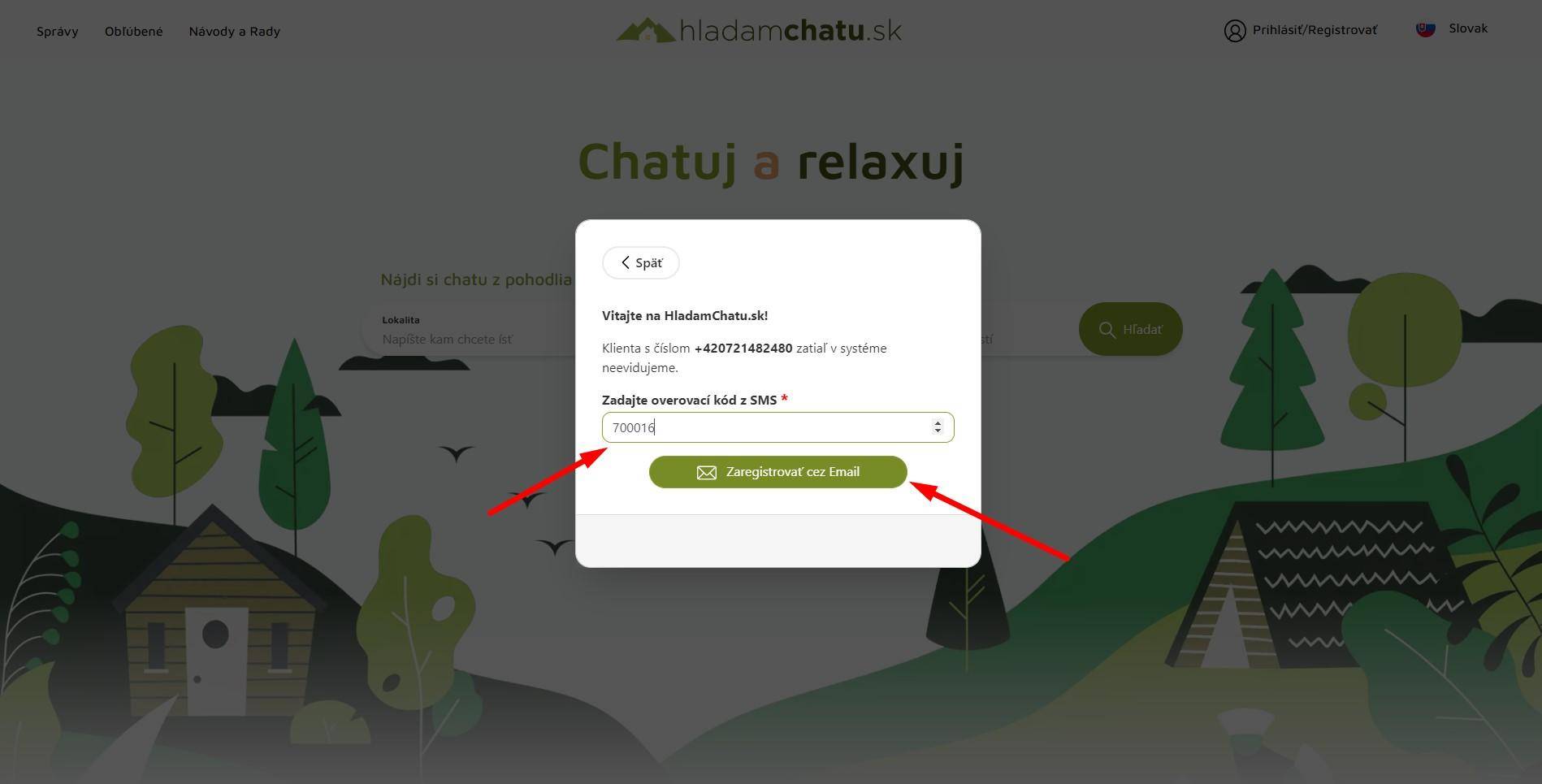
Step 6: after clicking on the button Register via Email you will see boxes: Your name, Your email, Password, Password again, which must be filled in and then click the Register button
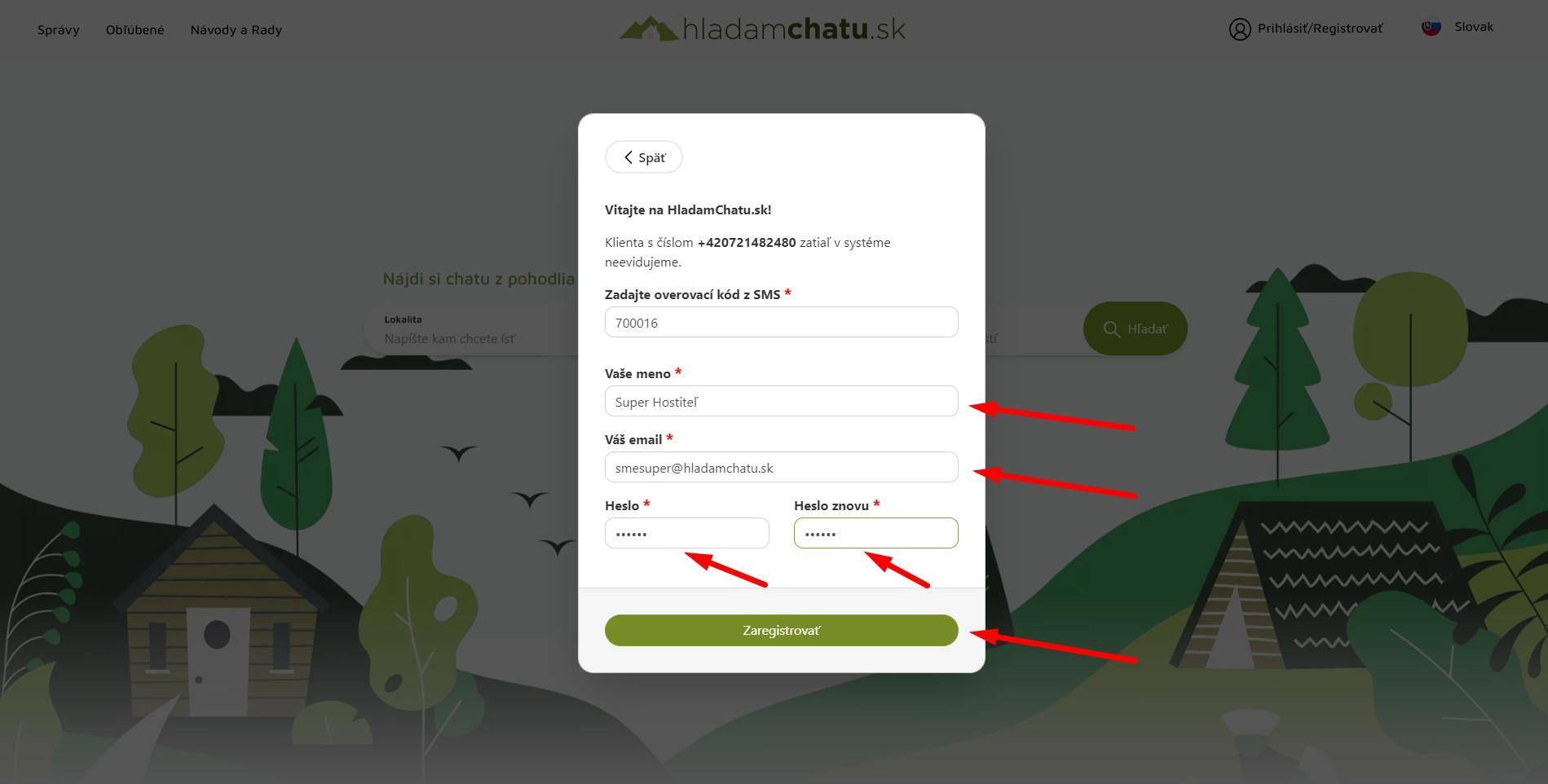
Step 7: after clicking the Register button, we will send you a verification email to the email address you entered in the previous step.
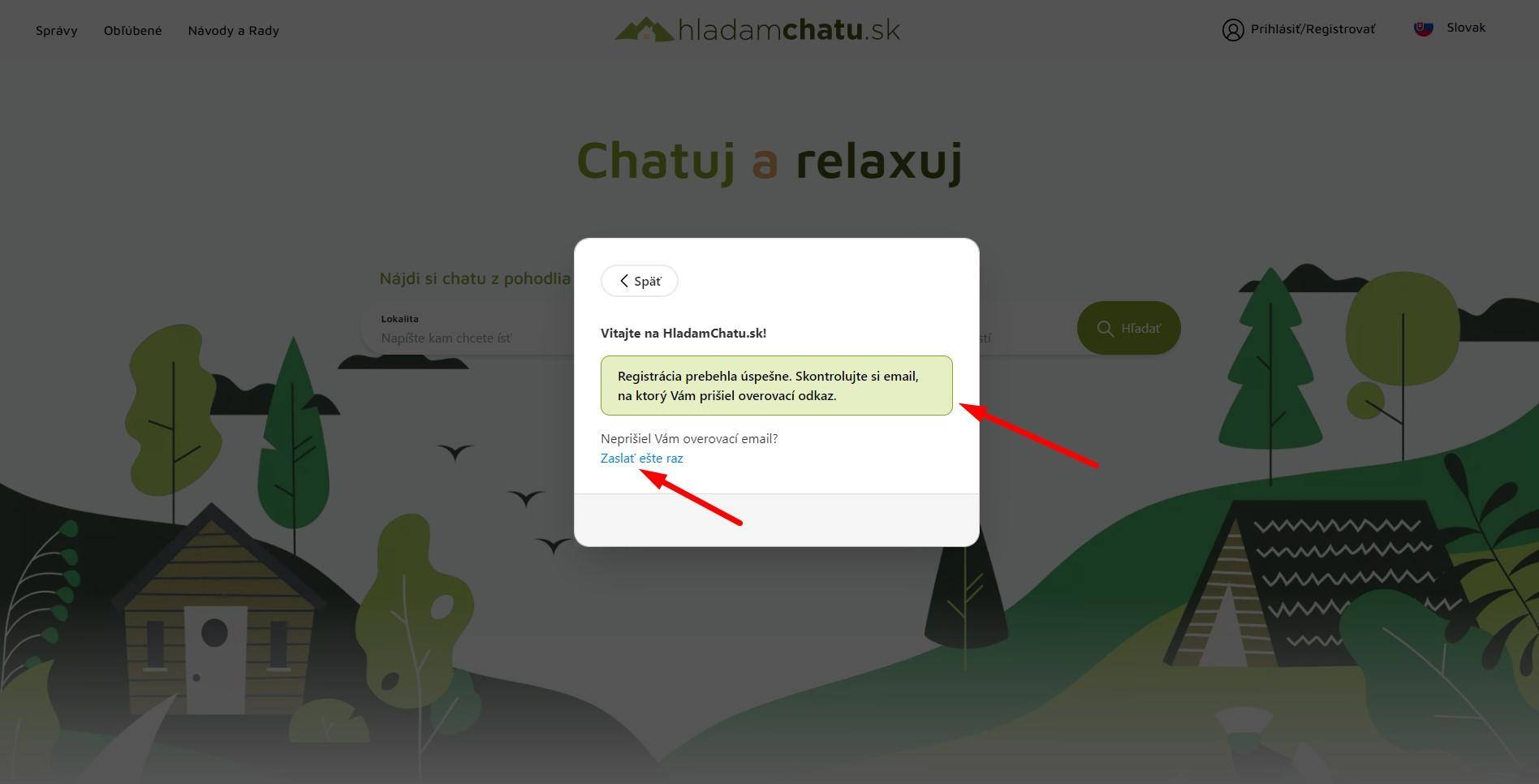
Step 8: log in to your email inbox and verify your email.
Step 9: after verifying your email, you will be able to log in to the hladamchatu.sk accommodation portal.