Photos of the accommodation facility
Published:21. 7. 2022
min read
How to add photos
Photos can be uploaded from various devices, whether from a PC, iPhone, or Android device. It is ideal if the photo is not larger than 4Mb, but it is not a condition.
Photos are processed already during uploading and then their size is compressed for fast loading. That's why you don't have to limit yourself or worry about the slow loading of the details of the accommodation object.
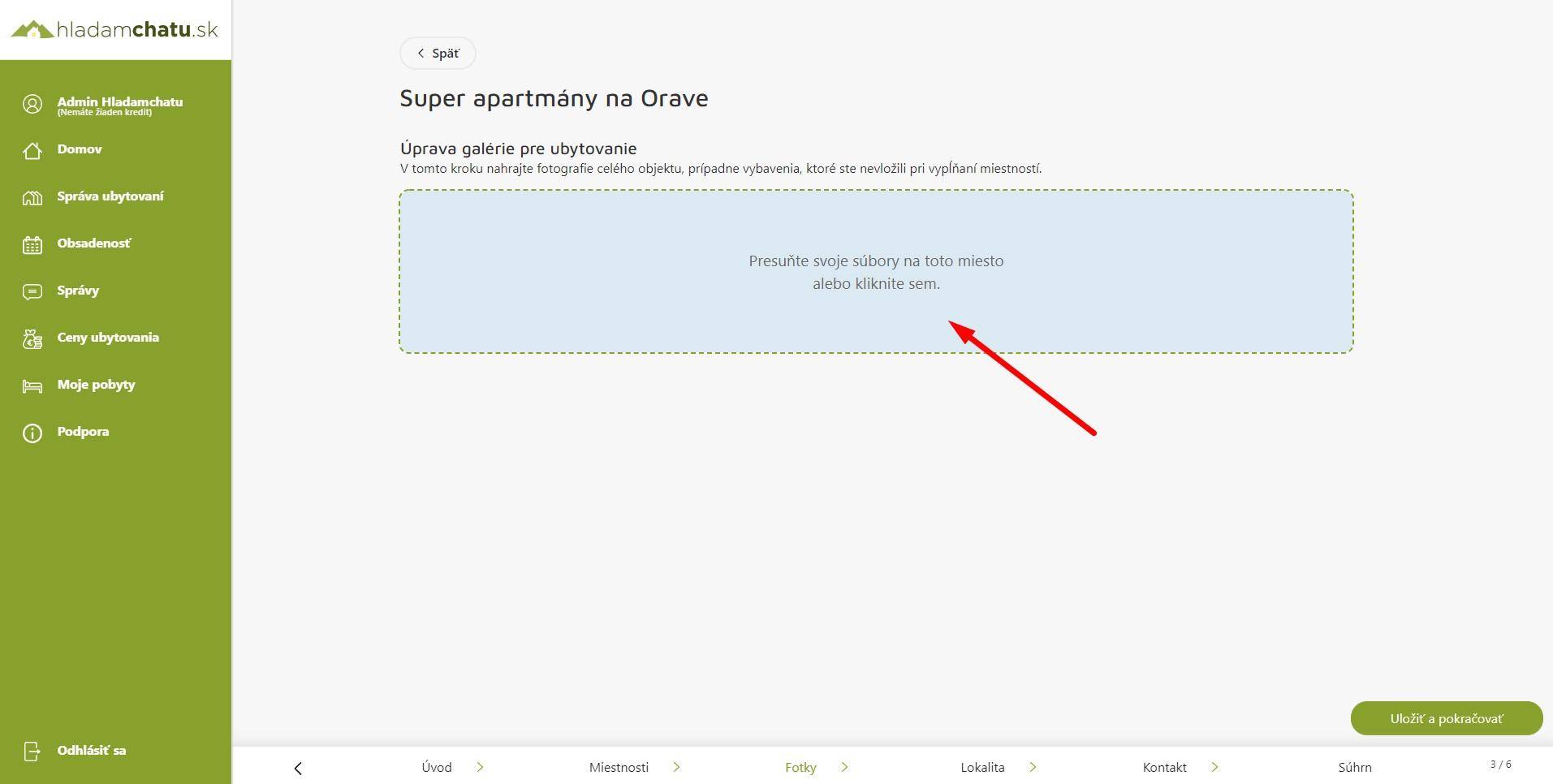
Step 1: Click on the green box labeled "Move your files here or click here"
Step 2: choose the photos you want to upload
Step 3: upload photos
Change the position of the photo in the order
If you want to change the position of the photo, you need to click and hold the gray "Hold and drag" button at the same time. Then drag the photo to the position you want.
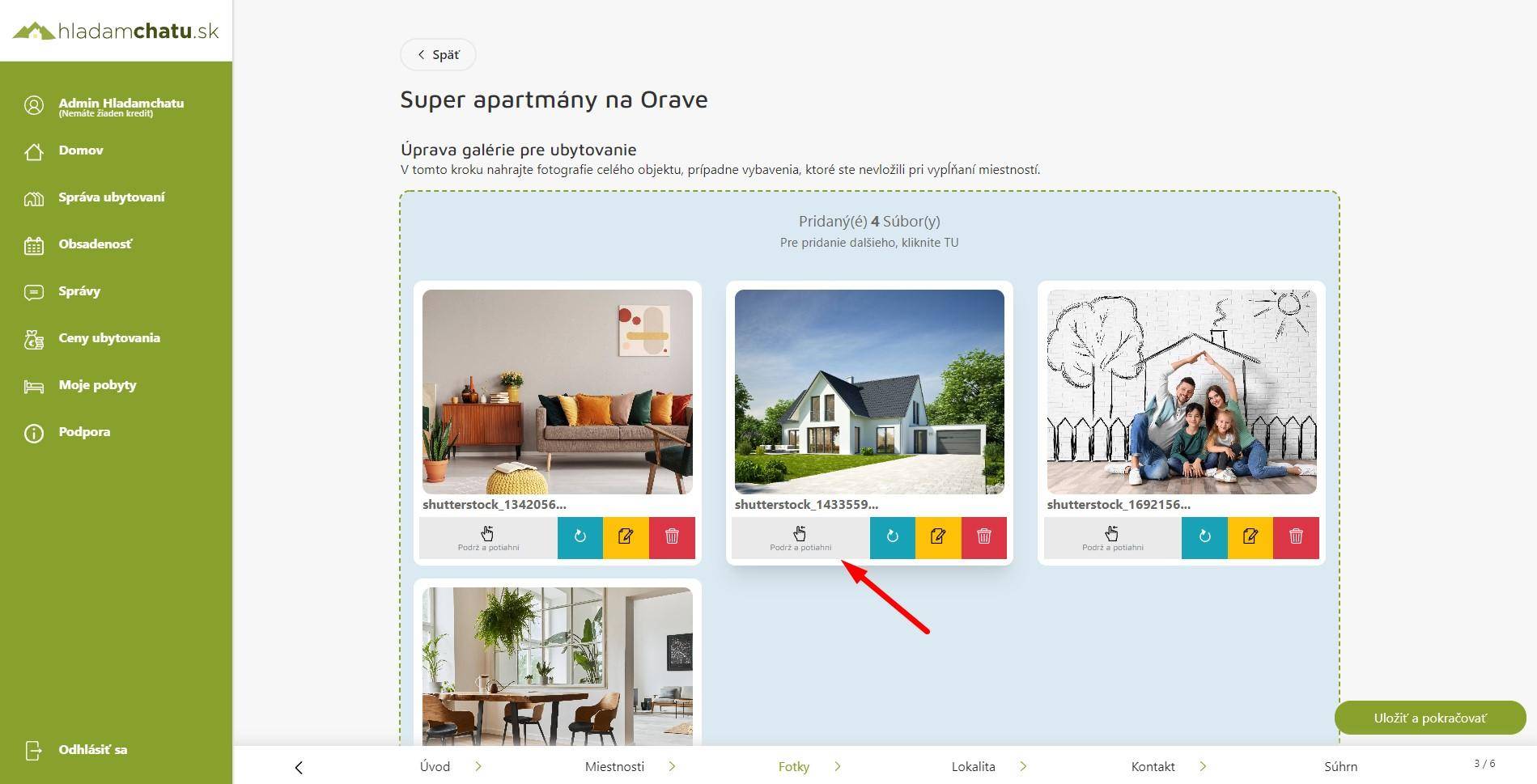
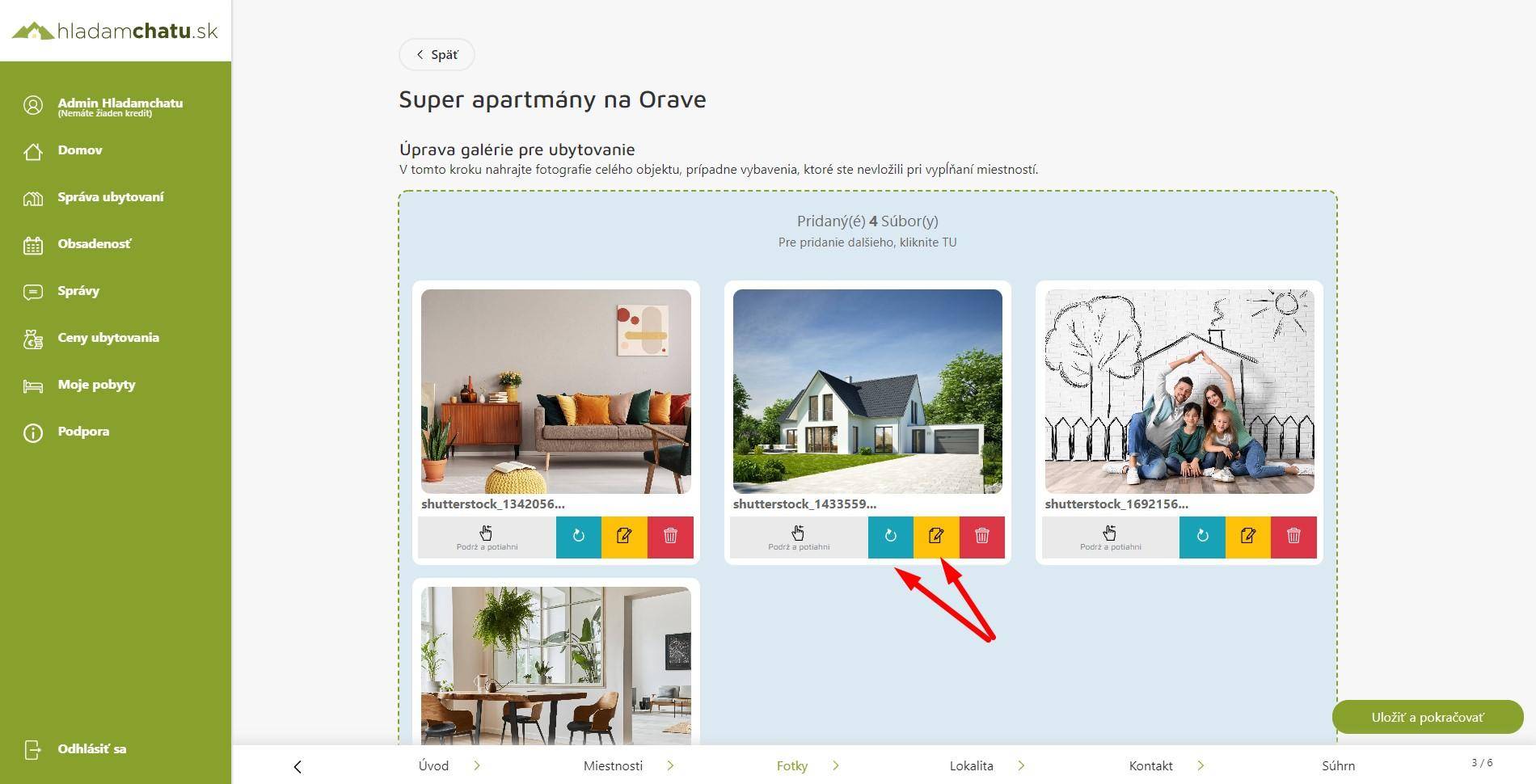
Photo editing
After clicking on the orange button with the pen icon, you can edit the photo in the following scope: photo title, choice of winter or summer photo, or the option to hide the photo.
After clicking on the blue button with the rotation icon, you can rotate the given photo.
Save and continue
If you have uploaded photos of the object and edited them as needed, just click the "Save and continue" button. Click to go to the location of the object.